INTRODUCING iCOS™
ONE CUSTODY CASE.
A HUNDRED MOVING PARTS.
ONE CONNECTED SYSTEM.
iCOS™ is the Intelligent Custody Operating System for Moms and Dads.
It connects case preparation, communication, documentation, professional coordination, and parenting support in one place.
INTRODUCING iCOS™
ONE CUSTODY CASE.
A HUNDRED MOVING PARTS.
ONE CONNECTED SYSTEM.
iCOS™ is the Intelligent Custody Operating System for Moms and Dads.
It connects case preparation, communication, documentation, professional coordination, and parenting support in one place.
Custody does not happen in separate boxes.
A message arrives late at night.
A court document shows up on Friday.
The school calls.
Parenting time changes.
An attorney, GAL, or other professional needs information from six months ago.
A child comes home upset and needs a parent right now.
Most custody tools handle one piece of that.
A spreadsheet tracks dates.
A log records events.
A communication app stores messages.
A message tool rewrites a response.
A folder holds documents.
A system for knowing what matters and what to do with it.
iCOS connects what happens across all of them.
Not another place to collect more information.

Court Guide
Helps you prepare, think through communication, and organize case-related next steps.

Parenting Coach
Supports child-focused parenting moments and difficult conversations.

Court Dates
Tracks hearings, deadlines, and important dates.

Case Events
Keeps important incidents and developments organized over time.

Visits
Tracks parenting time, visit details, and related notes in one place.

Expenses
Organizes custody-related expenses, payment status, and supporting documentation.
Custody does not happen in separate boxes.
A message arrives late at night.
A court document shows up on Friday.
The school calls.
Parenting time changes.
An attorney, GAL, or other professional needs information from six months ago.
A child comes home upset and needs a parent right now.
Most custody tools handle one piece of that.
A spreadsheet tracks dates.
A log records events.
A communication app stores messages.
A message tool rewrites a response.
A folder holds documents.
A system for knowing what matters and what to do with it.
iCOS connects what happens across all of them.
Not another place to collect more information.
Court Guide
Helps you prepare, think through communication, and organize case-related next steps.
Parenting Coach
Supports child-focused parenting moments and difficult conversations.
Court Dates
Tracks hearings, deadlines, and important dates.
Case Events
Keeps important incidents and developments organized over time.
Visits
Tracks parenting time, visit details, and related notes in one place.
Expenses
Organizes custody-related expenses, payment status, and supporting documentation.
INTRODUCING iCOS™
ONE CUSTODY CASE.
A HUNDRED MOVING PARTS.
ONE CONNECTED SYSTEM.
iCOS™ is the Intelligent Custody Operating System for Moms and Dads.
It connects case preparation, communication, documentation, professional coordination, and parenting support in one place.
Custody does not happen in separate boxes.
A message arrives late at night.
A court document shows up on Friday.
The school calls.
Parenting time changes.
An attorney, GAL, or other professional needs information from six months ago.
A child comes home upset and needs a parent right now.
Most custody tools handle one piece of that.
A spreadsheet tracks dates.
A log records events.
A communication app stores messages.
A message tool rewrites a response.
A folder holds documents.
A system for knowing what matters and what to do with it.
iCOS connects what happens across all of them.
Not another place to collect more information.
Court Guide
Helps you prepare, think through communication, and organize case-related next steps.
Parenting Coach
Supports child-focused parenting moments and difficult conversations.
Court Dates
Tracks hearings, deadlines, and important dates.
Case Events
Keeps important incidents and developments organized over time.
Visits
Tracks parenting time, visit details, and related notes in one place.
Expenses
Organizes custody-related expenses, payment status, and supporting documentation.

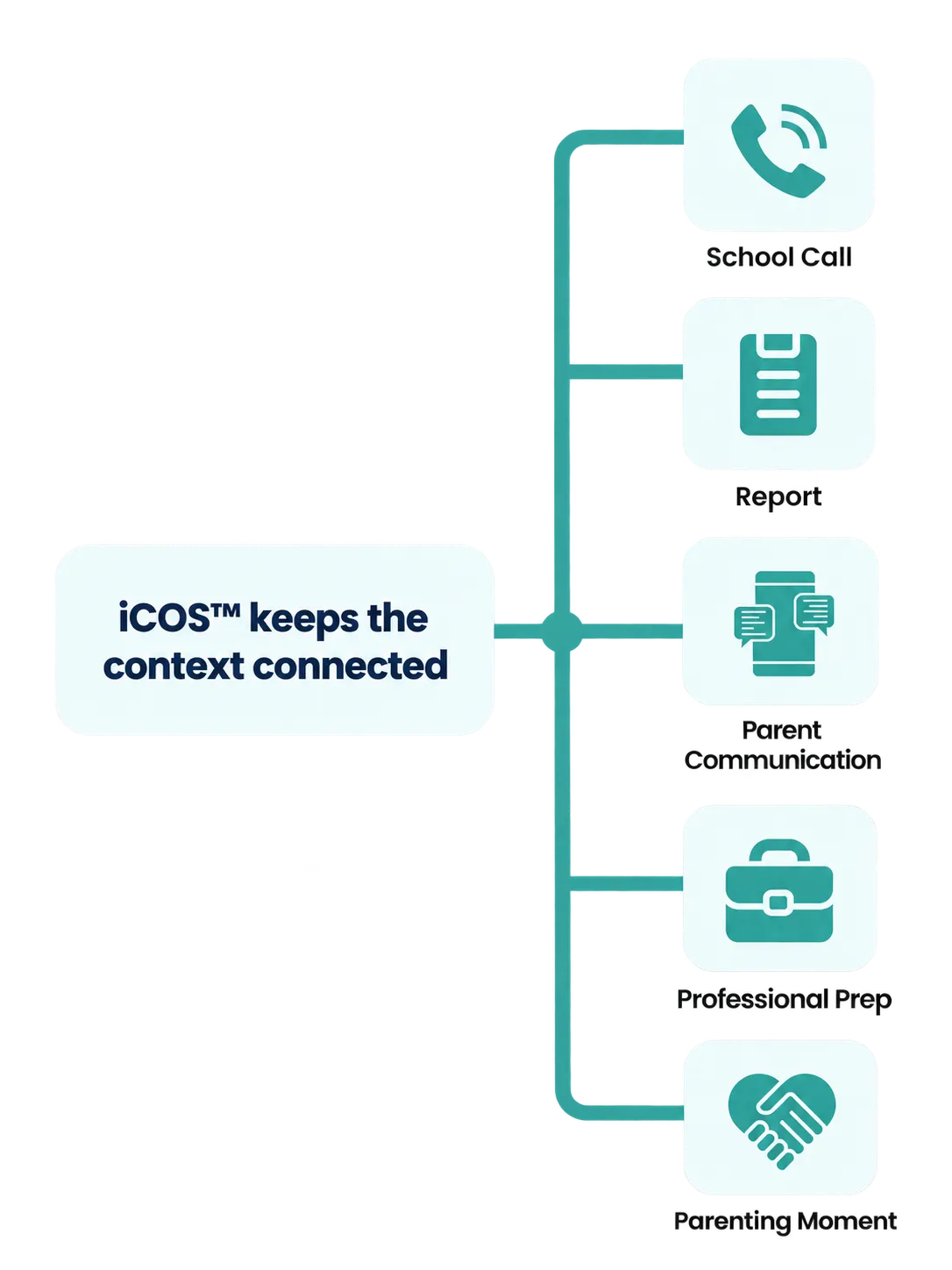
One problem can become five different problems.
Imagine the school calls because a child is struggling academically.
That one call can turn into:
a school meeting
an evaluation
a psychological or educational report
communication between parents
questions for an attorney or another professional
documentation
and a child coming home worried about what all of it means
Those are not separate worlds.
They are different parts of the same family situation.
That is what iCOS is built around.
The report can stay connected to the case.
The communication can be worked through.
The event can be documented.
Questions can be prepared for the appropriate professional.
And when the issue reaches the child, Parenting Coach can help the parent handle the parenting moment too.
Case. Communication. Documentation.
Parenting. Connected.


School Call
Report
Parent Communication
Professional Prep
Parenting Moment

iCOS™ keeps the context connected
GUIDE™
Manage the case, communicate clearly, and determine what needs to happen next.
GUIDE helps parents work through what is happening across the custody case.
court documents
case events
questions
professional meetings
important dates
documentation
case summaries
next steps
GUIDE™


Gather
Understand
Inform
Document
Evaluate
The goal is not simply to save everything.
The goal is to make the information usable when it matters.
BRIDGE™
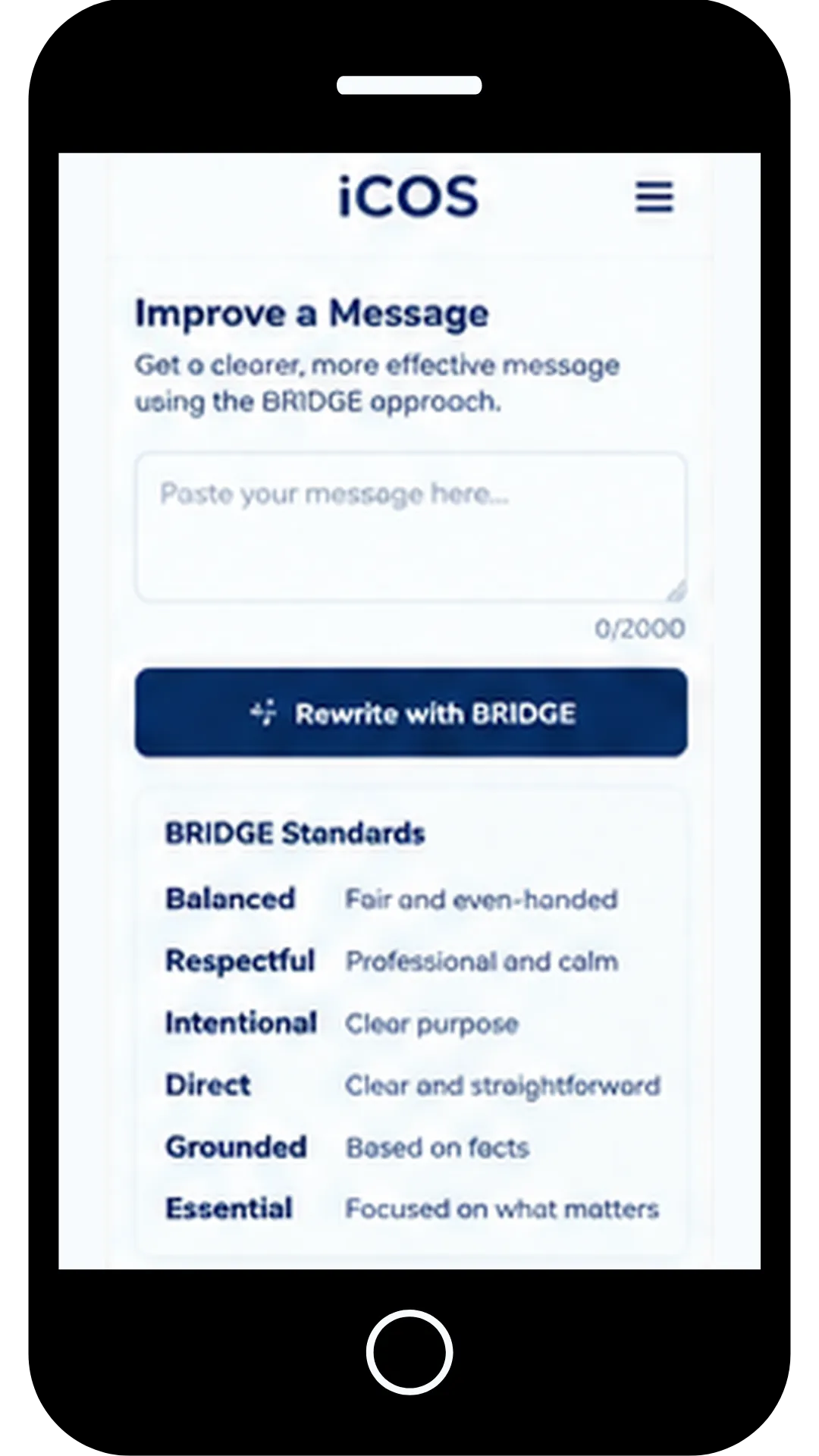
Difficult communication deserves more than a quick rewrite.
When GUIDE™ reaches the Inform step, BRIDGE™ provides the standard for written communication.
BRIDGE™ helps parents work through communication before hitting Send.

Balanced.

Respectful.

Intentional.

Direct.

Grounded.

Essential.
iCOS™ can work alongside the communication platform required in a parent’s case.
A message arrives in the required platform.
The parent brings the situation into iCOS.
GUIDE uses BRIDGE to help work through the response.
The parent sends the final message through the appropriate platform.
The completed exchange can then be saved, documented, and connected to the larger case history.
Required
Communication
Platform
Receive the message through the court-ordered communication app.
GUIDE
+
BRIDGE
Review the situation and prepare a clear, respectful, fact-based response.
Parent Sends
Response
Send the final message through the required communication platform.
Document
Event
Save the exchange and record important details in iCOS™.
Case
Context
Keep the information organized and available for future reference.
➜
➜
➜
➜
One problem can become five different problems.
Imagine the school calls because a child is struggling academically.
That one call can turn into:
a school meeting
an evaluation
a psychological or educational report
communication between parents
questions for an attorney or another professional
documentation
and a child coming home worried about what all of it means
Those are not separate worlds.
They are different parts of the same family situation.
That is what iCOS is built around.
The report can stay connected to the case.
The communication can be worked through.
The event can be documented.
Questions can be prepared for the appropriate professional.
And when the issue reaches the child, Parenting Coach can help the parent handle the parenting moment too.
Case. Communication. Documentation.
Parenting. Connected.
School Call
Report
Parent Communication
Professional Prep
Parenting Moment
iCOS™ keeps the context connected
GUIDE™
Manage the case, communicate clearly, and determine what needs to happen next.
GUIDE helps parents work through what is happening across the custody case.
court documents
case events
questions
professional meetings
important dates
documentation
case summaries
next steps
GUIDE™
Gather
Understand
Inform
Document
Evaluate
The goal is not simply to save everything.
The goal is to make the information usable when it matters.
BRIDGE™
Difficult communication deserves more than a quick rewrite.
When GUIDE™ reaches the Inform step, BRIDGE™ provides the standard for written communication.
BRIDGE™ helps parents work through communication before hitting Send.
Balanced.
Respectful.
Intentional.
Direct.
Grounded.
Essential.
iCOS™ can work alongside the communication platform required in a parent’s case.
A message arrives in the required platform.
The parent brings the situation into iCOS.
GUIDE uses BRIDGE to help work through the response.
The parent sends the final message through the appropriate platform.
The completed exchange can then be saved, documented, and connected to the larger case history.
Required
Communication
Platform
Receive the message through the court-ordered communication app.
➜
GUIDE
+
BRIDGE
Review the situation and prepare a clear, respectful, fact-based response.
➜
Parent Sends
Response
Send the final message through the required communication platform.
Document
Event
Save the exchange and record important details in iCOS™.
➜
Case
Context
Keep the information organized and available for future reference.
One problem can become five different problems.
Imagine the school calls because a child is struggling academically.
That one call can turn into:
a school meeting
an evaluation
a psychological or educational report
communication between parents
questions for an attorney or another professional
documentation
and a child coming home worried about what all of it means
Those are not separate worlds.
They are different parts of the same family situation.
That is what iCOS is built around.
The report can stay connected to the case.
The communication can be worked through.
The event can be documented.
Questions can be prepared for the appropriate professional.
And when the issue reaches the child, Parenting Coach can help the parent handle the parenting moment too.
GUIDE™
Manage the case, communicate clearly, and determine what needs to happen next.
GUIDE helps parents work through what is happening across the custody case.
court documents
case events
questions
professional meetings
important dates
documentation
case summaries
next steps
GUIDE™
Gather
Understand
Inform
Document
Evaluate
The goal is not simply to save everything.
The goal is to make the information usable when it matters.
BRIDGE™
Difficult communication deserves more than a quick rewrite.
When GUIDE™ reaches the Inform step, BRIDGE™ provides the standard for written communication.
BRIDGE™ helps parents work through communication before hitting Send.
Balanced.
Respectful.
Intentional.
Direct.
Grounded.
Essential.
iCOS™ can work alongside the communication platform required in a parent’s case.
A message arrives in the required platform.
The parent brings the situation into iCOS.
GUIDE uses BRIDGE to help work through the response.
The parent sends the final message through the appropriate platform.
The completed exchange can then be saved, documented, and connected to the larger case history.
Required
Communication
Platform
Receive the message through the court-ordered communication app.
⬇
GUIDE
+
BRIDGE
Review the situation and prepare a clear, respectful, fact-based response.
⬇
Parent Sends
Response
Send the final message through the required communication platform.
⬇
Document
Event
Save the exchange and record important details in iCOS™.
⬇
Case
Context
Keep the information organized and available for future reference.


Facebook
Instagram